How to change a song's key to fit your voice
If the chorus makes you strain, or the verse sits so low you can barely hear yourself, the song isn't wrong for you. It's in the wrong key. Professional singers change keys all the time. Here's how to do it yourself.
Semitones in plain words
A semitone is the smallest step in Western music, the distance from one piano key to the next. Moving a song down 2 semitones makes every note a little lower; up 2 makes it a little higher. Most singers find their comfortable version within 4 semitones either way.
Find your key in two minutes
- Sing the highest line of the chorus along with the original.
- If you strain or crack, go down one semitone and try again. If it feels dull and low, go up.
- Stop at the key where the highest note feels strong but easy. That's your key for this song.
Why the voice usually sounds wrong when you change key
Simple pitch shifters squeeze the sound, so a voice moved up sounds like a chipmunk and one moved down sounds like a giant. Better tools preserve the formants, the resonances that give a voice its character. Gonilift uses the Rubber Band library with formant preservation, so a voice keeps its natural tone in a new key, and the speed doesn't change.
Do it in Gonilift
- Split the song (drop it into Gonilift and wait about a minute).
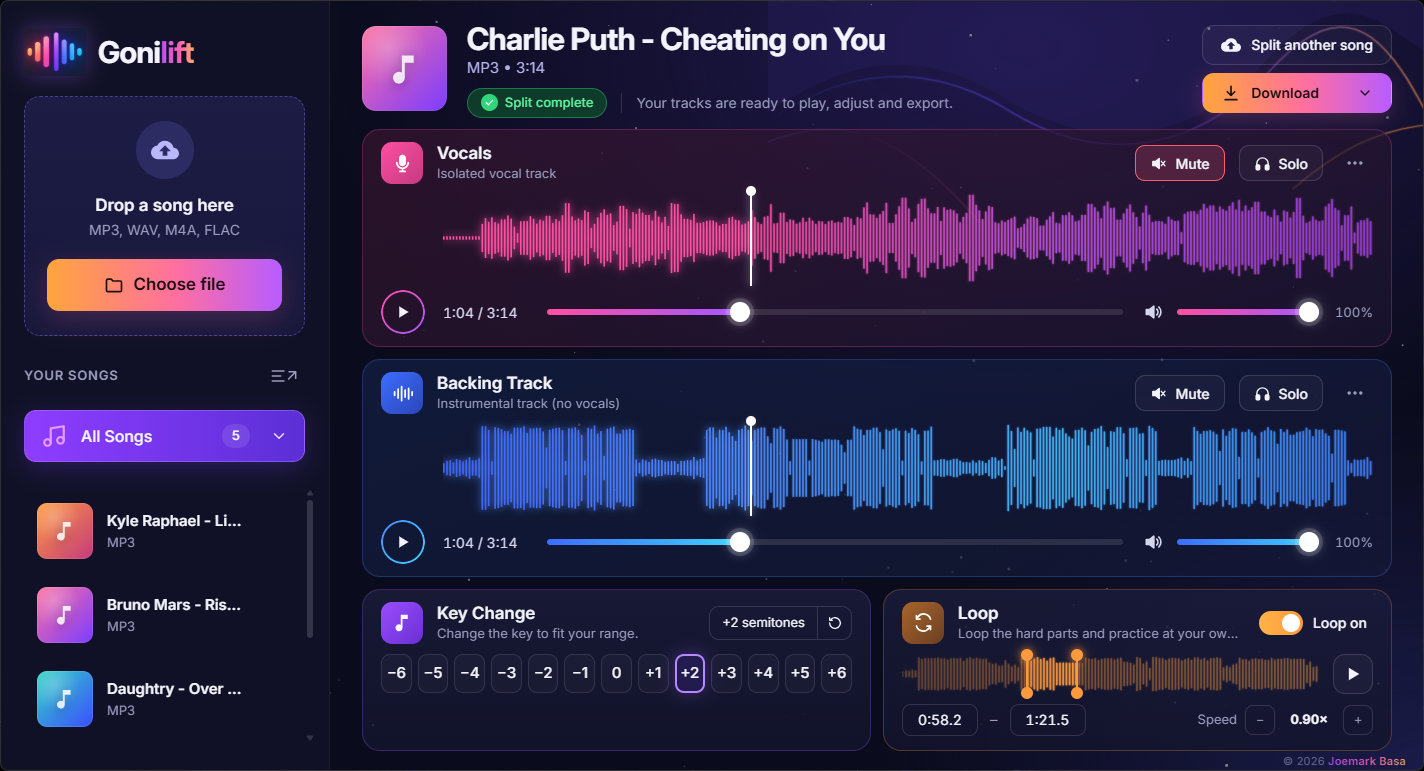
- In the player, press the key buttons from −6 to +6. The first time for each key takes a few seconds; after that it's instant.
- Mute the vocals and sing. If it's still not right, step one semitone further.
- Use Download to keep the karaoke track in your new key.